Got keystore.json and the Client Secret? Then this part takes about two minutes. Haven’t got them yet — start with Create a bot on Mixin .
The walkthrough below starts at the OhMy.xin half. Click any earlier step to see where each item came from.
🤖 Mixin Developers✨ OhMy.xin
🔒 ohmy.xin/mx_apps/new
Mixin Developers 📱 Scan with Mixin Messenger
Information Security Secret Billing Information Security Secret Billing 🔒 App Session Generate a new session key for this app. Generate a new key
🔒 WALLET Generate a spend private key for this app. Register Wallet skip
⌘ OAuth Client Secret Required to generate an OAuth signature. Generate a new secret
▦ Code URL Display or rotate the code_url for this app. Show Rotate skip
You only need App Session and OAuth Client Secret.
Information Security Secret Billing 🔒 App Session Generate a new session key for this app. Generate a new key
🔒 WALLET Generate a spend private key for this app. Register Wallet skip
⌘ OAuth Client Secret Required to generate an OAuth signature. Generate a new secret
▦ Code URL Display or rotate the code_url for this app. Show Rotate skip
✕ App Session { "app_id": "a1b2c3d4-1111-4222-8333-0123456789ab", "session_id": "e5f6a7b8-4444-4555-8666-0123456789ab", "server_public_key": "0f1e2d3c4b5a…", "session_private_key": "••••••••••••…" } Download Copy Download saves keystore-7000101234.json — your keystore. Keep it private.
Information Security Secret Billing 🔒 App Session Generate a new session key for this app. ✓ keystore-7000101234.json
🔒 WALLET Generate a spend private key for this app. Register Wallet skip
⌘ OAuth Client Secret Required to generate an OAuth signature. Generate a new secret
▦ Code URL Display or rotate the code_url for this app. Show Rotate skip
Information Security Secret Billing 🔒 App Session Generate a new session key for this app. ✓ keystore-7000101234.json
🔒 WALLET Generate a spend private key for this app. Register Wallet skip
⌘ OAuth Client Secret Required to generate an OAuth signature. Generate a new secret
▦ Code URL Display or rotate the code_url for this app. Show Rotate skip
✕ OAuth Client Secret 9a8b7c6d5e4f…(64 hex characters)…0a1b2c3d Cancel Copy This is your Client Secret. Copy it now — it is shown once.
Information Security Secret Billing 🔒 App Session Generate a new session key for this app. ✓ keystore-7000101234.json
🔒 WALLET Generate a spend private key for this app. Register Wallet skip
⌘ OAuth Client Secret Required to generate an OAuth signature. ✓ Copied
▦ Code URL Display or rotate the code_url for this app. Show Rotate skip
Got both. Now switch to the OhMy.xin tab.
Create Bot Connect Auto-configure Create your Mixin Bot Head to the Mixin Developer Portal to register your bot and download the keystore file. 01 · developers.mixin.one → keystore.json 02 · client_secret I have my credentials → Create Bot Connect Auto-configure Connect Your Bot keystore.json {"app_id":"...","session_private_key":"...","server_public_key":"..."} ⬆ Drop keystore.json here, or Choose file
OAuth Client Secret NOT in keystore Paste the client secret Launch Bot Create Bot Connect Auto-configure Connect Your Bot keystore.json ✓ Parsed {"app_id":"7f1c2e9a-…","session_id":"0b6d41f3-…","server_public_key":"9a3e…","session_private_key":"8c51…"}
✓ client_id ← app_id ✓ session_id ← session_id ✓ private_key ← session_private_key ✓ pin_token ← server_public_key OAuth Client Secret NOT in keystore Paste the client secret Launch Bot Create Bot Connect Auto-configure Connect Your Bot keystore.json ✓ Parsed {"app_id":"7f1c2e9a-…","session_id":"0b6d41f3-…","server_public_key":"9a3e…","session_private_key":"8c51…"}
✓ client_id ← app_id ✓ session_id ← session_id ✓ private_key ← session_private_key ✓ pin_token ← server_public_key OAuth Client Secret NOT in keystore •••••••••••••••• Launch Bot Create Bot Connect Auto-configure Circle ready Daily Notes is connected and configured. ✓ Credentials accepted✓ Profile synced✓ Home URL set✓ OAuth callback set✓ Resource patterns setOpen console What you take to OhMy.xin 🔐 Client Secret 📄 keystore.json
On OhMy.xin, open Studio → New circle and click I have my credentials .
← Back Step 5 of 7 Next → ↺ Start over
1 Open developers.mixin.one on your computer and sign in by scanning the QR code with Mixin Messenger. 2 Click New App . Name , Category and Description are what members will see. For Home URL and OAuth URL , type any https address such as https://mixin.one — OhMy.xin replaces them for you later. Click Save . 3 Open the Secret tab. Under App Session , click Generate a new key , then Download . The file is named after your bot's Mixin ID, like keystore-7000101234.json — that's your keystore. (Copy works too: you can paste the text into OhMy.xin.) 4 Under OAuth Client Secret , click Generate a new secret and Copy the code — this is your Client Secret . Mixin shows each only once. You can skip WALLET and Code URL . 5 On OhMy.xin, open Studio → New circle and click I have my credentials . 6 Drop keystore.json into the box, or paste what's inside it — four green ticks mean it was read. Paste the Client Secret in the field below and click Launch Bot . 7 OhMy.xin checks the keys and fills in the Home URL, callback and resource patterns on Mixin for you. When all five ticks are green, your circle is ready. Click the glowing spot — in the browser or in the tray — or use Next.
The Home URL and OAuth URL you typed on Mixin were placeholders. During auto-configure, OhMy.xin writes the real Home URL, OAuth callback and resource patterns to your bot for you.
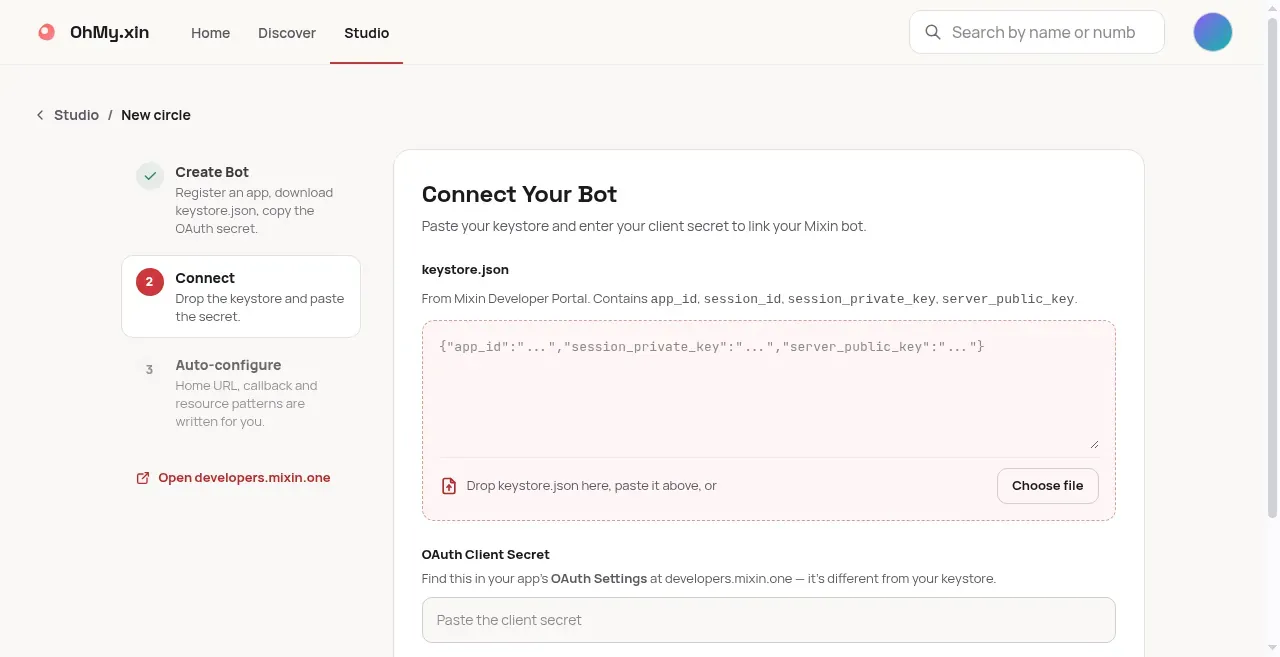
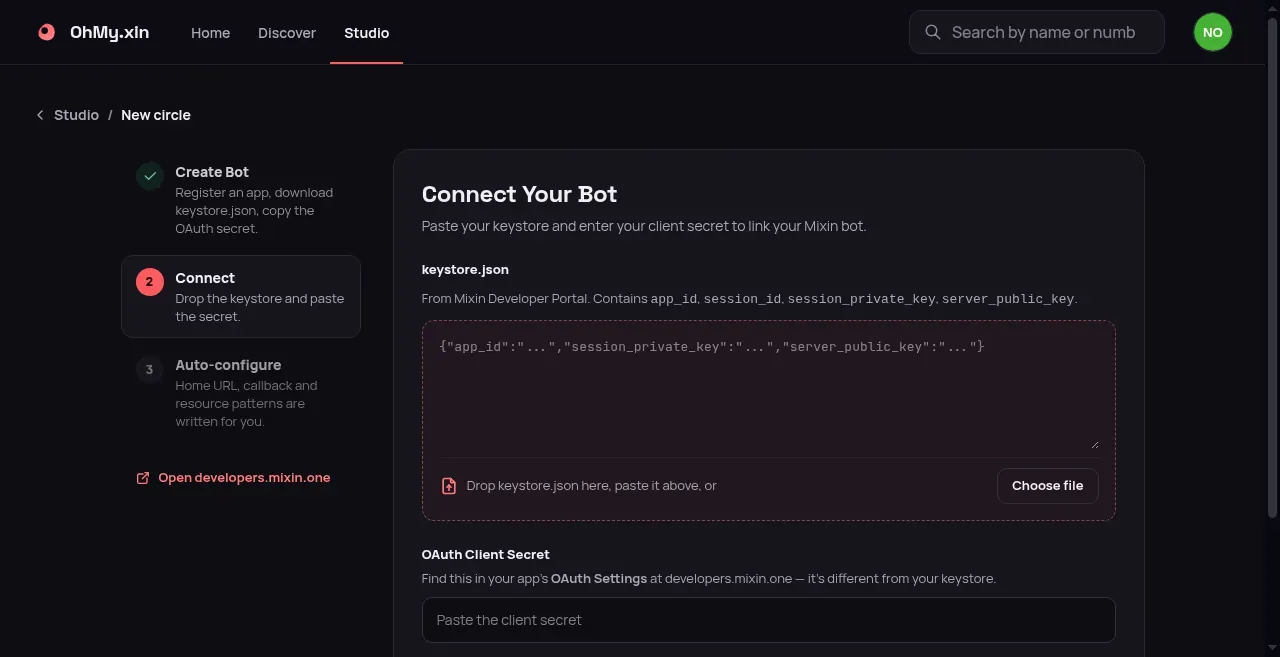
1 2 3 The real wizard, step 2.
You are on step 2 of 3. Drop or paste keystore.json here, or use Choose file. Paste the Client Secret — it is not in the keystore. If the bot has been connected to another circle before, that circle has to disconnect it first before you can connect it to a new one. Disconnecting doesn’t touch the bot on the Mixin side — reconnecting brings everything back.
“Invalid JSON — please paste the complete keystore.json content” Only part of the file got pasted, or something else (often the Client Secret) went into the keystore box. Easiest fix: click Choose file and pick keystore.json instead of pasting. If you paste, copy everything from the first { to the last }.
“Missing fields: app_id, session_private_key, …” The file is from an older-style session that uses different field names. On developers.mixin.one, open Secret → App Session → Generate a new key and use the new file.
Launch Bot fails with a credentials error The keystore and the secret don’t belong together, or one of them was regenerated afterwards. Check they’re from the same bot, and use the newest secret and the newest keystore file.
“Auto-configuration needs a retry” Your bot is saved — only the Mixin profile update didn’t finish, usually because Mixin was briefly unreachable. Click Retry auto-configuration . There’s nothing to change on developers.mixin.one, and retrying is safe.