Roles & permissions
What you can do and see in a circle comes down to your role. Pick one below — then switch the circle type to see how much a non-member gets to read.
Created the circle. There is exactly one, and ownership can be transferred.
✓ Can
- Enter the console (Today / Review / Members / Content / Chat / Money / Insights / Settings)
- Change settings, switch layout and chat mode
- Block members, recall messages, verify anonymous identities
- Rotate bot credentials
- Transfer circle ownership
- Wake a dormant circle
- Speak in Lecture / Broadcast mode, create paid content
- Publish posts
- Comment, like, vote, join lotteries, ask questions
- Members-only content, orders, tipping and red packets
✕ Can't
- Nothing
What they see of posts
- Public Full text Preview Hidden
- Trial Full text Preview Hidden
- Members only Full text Preview Hidden
Helps run the circle. Appointed in the console; up to 10 per circle.
✓ Can
- Enter the console (Today / Review / Members / Content / Chat / Money / Insights / Settings)
- Change settings, switch layout and chat mode
- Block members, recall messages, verify anonymous identities
- Rotate bot credentials
- Wake a dormant circle
- Speak in Lecture / Broadcast mode, create paid content
- Comment, like, vote, join lotteries, ask questions
- Members-only content, orders, tipping and red packets
⚙ Depends on circle settings
- Publish posts
✕ Can't
- Transfer circle ownership
What they see of posts
- Public Full text Preview Hidden
- Trial Full text Preview Hidden
- Members only Full text Preview Hidden
Speaks to the whole circle in Lecture and Broadcast mode. Up to 10 per circle.
✓ Can
- Speak in Lecture / Broadcast mode, create paid content
- Comment, like, vote, join lotteries, ask questions
- Members-only content, orders, tipping and red packets
⚙ Depends on circle settings
- Publish posts
✕ Can't
- Enter the console (Today / Review / Members / Content / Chat / Money / Insights / Settings)
- Change settings, switch layout and chat mode
- Block members, recall messages, verify anonymous identities
- Rotate bot credentials
- Transfer circle ownership
- Wake a dormant circle
What they see of posts
- Public Full text Preview Hidden
- Trial Full text Preview Hidden
- Members only Full text Preview Hidden
Paid for a membership, or joined a free circle.
✓ Can
- Comment, like, vote, join lotteries, ask questions
- Members-only content, orders, tipping and red packets
⚙ Depends on circle settings
- Publish posts
✕ Can't
- Enter the console (Today / Review / Members / Content / Chat / Money / Insights / Settings)
- Change settings, switch layout and chat mode
- Block members, recall messages, verify anonymous identities
- Rotate bot credentials
- Transfer circle ownership
- Wake a dormant circle
- Speak in Lecture / Broadcast mode, create paid content
What they see of posts
- Public Full text Preview Hidden
- Trial Full text Preview Hidden
- Members only Full text Preview Hidden
A member on a free trial. Same rights as a member, but members-only posts show a preview.
✓ Can
- Comment, like, vote, join lotteries, ask questions
- Members-only content, orders, tipping and red packets
⚙ Depends on circle settings
- Publish posts
✕ Can't
- Enter the console (Today / Review / Members / Content / Chat / Money / Insights / Settings)
- Change settings, switch layout and chat mode
- Block members, recall messages, verify anonymous identities
- Rotate bot credentials
- Transfer circle ownership
- Wake a dormant circle
- Speak in Lecture / Broadcast mode, create paid content
What they see of posts
- Public Full text Preview Hidden
- Trial Full text Preview Hidden
- Members only Full text Preview Hidden
Talks to the bot but has no membership yet.
✓ Can
- Nothing
✕ Can't
- Enter the console (Today / Review / Members / Content / Chat / Money / Insights / Settings)
- Change settings, switch layout and chat mode
- Block members, recall messages, verify anonymous identities
- Rotate bot credentials
- Transfer circle ownership
- Wake a dormant circle
- Speak in Lecture / Broadcast mode, create paid content
- Publish posts
- Comment, like, vote, join lotteries, ask questions
- Members-only content, orders, tipping and red packets
What they see of posts
- Public Full text Preview Hidden
- Trial Full text Preview Hidden
- Members only Full text Preview Hidden
Membership ran out. Renewing restores everything right away.
✓ Can
- Nothing
✕ Can't
- Enter the console (Today / Review / Members / Content / Chat / Money / Insights / Settings)
- Change settings, switch layout and chat mode
- Block members, recall messages, verify anonymous identities
- Rotate bot credentials
- Transfer circle ownership
- Wake a dormant circle
- Speak in Lecture / Broadcast mode, create paid content
- Publish posts
- Comment, like, vote, join lotteries, ask questions
- Members-only content, orders, tipping and red packets
What they see of posts
- Public Full text Preview Hidden
- Trial Full text Preview Hidden
- Members only Full text Preview Hidden
Blocked by an admin. Can't take part in the circle at all.
✓ Can
- Nothing
✕ Can't
- Enter the console (Today / Review / Members / Content / Chat / Money / Insights / Settings)
- Change settings, switch layout and chat mode
- Block members, recall messages, verify anonymous identities
- Rotate bot credentials
- Transfer circle ownership
- Wake a dormant circle
- Speak in Lecture / Broadcast mode, create paid content
- Publish posts
- Comment, like, vote, join lotteries, ask questions
- Members-only content, orders, tipping and red packets
What they see of posts
- Public Full text Preview Hidden
- Trial Full text Preview Hidden
- Members only Full text Preview Hidden
All roles side by side
Section titled “All roles side by side”Roles from highest to lowest: Owner → Admin → Lecturer → Member → Follower → Expired; plus Blocked as a separate status. Admin and Lecturer are capped at 10 each, and a Trial member has the same rights as a Member.
| Capability | Owner | Admin | Lecturer | Member / Trial member | Follower / Expired | Blocked |
|---|---|---|---|---|---|---|
| Enter the console (Today / Review / Members / Content / Chat / Money / Insights / Settings) | ✅ | ✅ | ❌ | ❌ | ❌ | ❌ |
| Change settings, switch layout and chat mode | ✅ | ✅ | ❌ | ❌ | ❌ | ❌ |
| Block members, recall messages, verify anonymous identities | ✅ | ✅ | ❌ | ❌ | ❌ | ❌ |
| Rotate bot credentials | ✅ | ✅ | ❌ | ❌ | ❌ | ❌ |
| Transfer circle ownership | ✅ | ❌ | ❌ | ❌ | ❌ | ❌ |
| Wake a dormant circle | ✅ | ✅ | ❌ | ❌ | ❌ | ❌ |
| Speak in Lecture / Broadcast mode, create paid content | ✅ | ✅ | ✅ | ❌ | ❌ | ❌ |
| Publish posts | ✅ | Per circle settings | Per circle settings | Per circle settings | ❌ | ❌ |
| Comment, like, vote, join lotteries, ask questions | ✅ | ✅ | ✅ | ✅ | ❌ | ❌ |
| Members-only content, orders, tipping and red packets | ✅ | ✅ | ✅ | ✅ | ❌ | ❌ |
Content visibility levels
Section titled “Content visibility levels”Paid circles split posts, articles, and feed items into three levels: Public ⊆ Trial ⊆ Members only.
| Who is viewing | Public | Trial | Members only |
|---|---|---|---|
| Admin team & paid members | Full text | Full text | Full text |
| Trial members | Full text | Full text | Preview |
| Visitors / Followers / Expired | Full text | Preview | Preview |
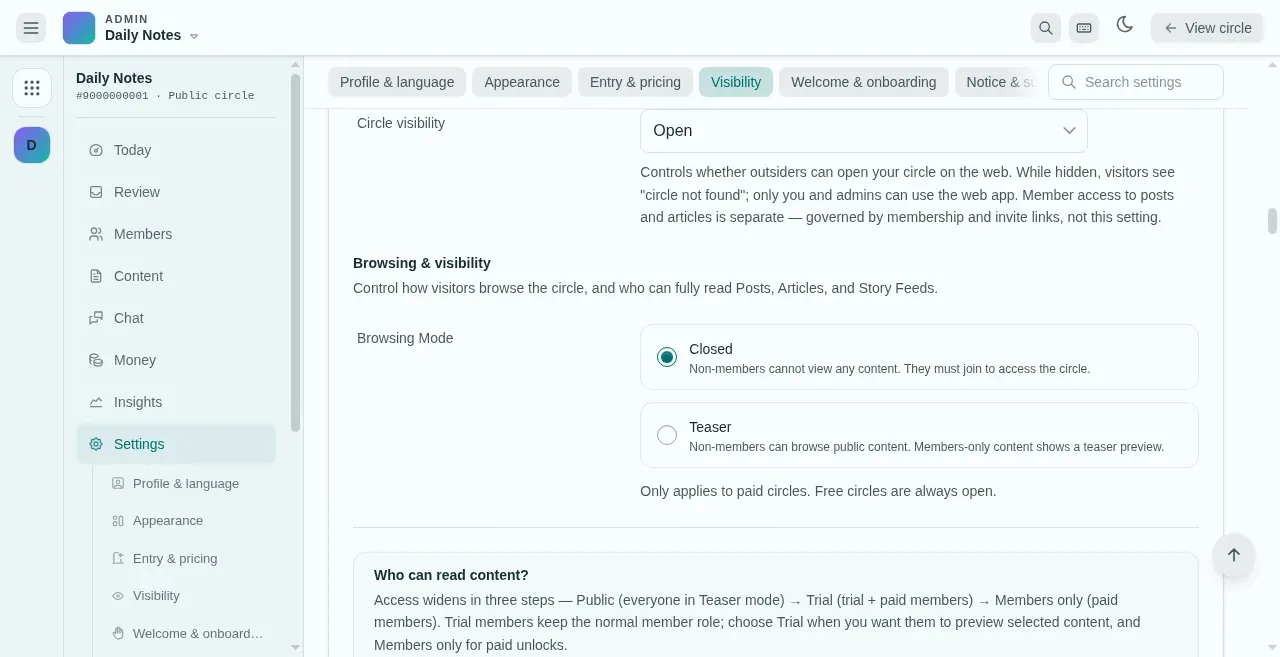
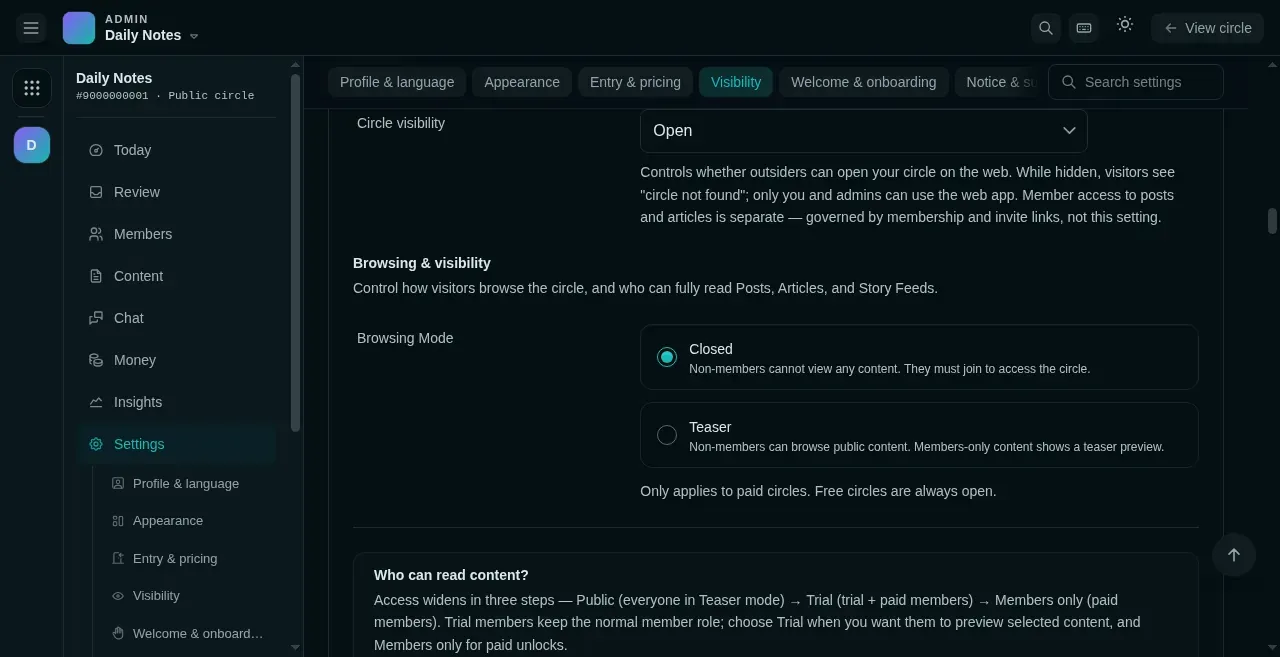
- Settings → Visibility.
- Closed: non-members see nothing until they join.
- Teaser: non-members read public posts and a preview of the rest.
Member tiers (Pro content layer)
Section titled “Member tiers (Pro content layer)”Free circles can also sell a member tier. When publishing a post, article, strategy, or public answer, the author can point it at a tier:
- Full text: the tier holder, the author, the owner, admins, and lecturers.
- Preview only: everyone else sees a teaser and an unlock card; buying the tier opens the full text immediately.
- Tier, role, and circle membership are three independent axes: buying a tier never upgrades a role or extends circle membership.
- If circle membership lapses, renew it before you can read tier content, even while the tier is still valid. Remaining tier time is preserved.